Best QR Code & Barcode Scanners for Events
0 min read time
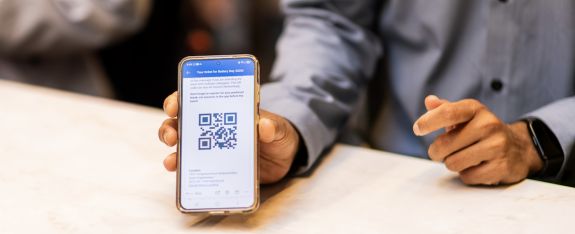
Not every event needs the same scanning equipment. A small conference, a large exhibition and a busy festival entrance all have different requirements. Choosing the right QR code or barcode scanner can make a significant difference in processing speed, reliability and the overall attendee experience.
QR codes have become the standard for event registration, ticket validation, badge collection, session tracking and lead retrieval. However, while the technology behind the QR code is relatively simple, the devices used to scan them can vary considerably.
Three types of devices are commonly used in the events industry: smartphones with camera-based scanning, professional mobile computers with integrated barcode scanners, and dedicated USB barcode scanners.
Each has advantages, depending on the event environment, the number of attendees and how the scanning process is organized.
Need scanners during your event?
Holon offers a wide range of scanners for different event applications and budgets. Whether you need just 2 scanners or a large-scale deployment of up to 1,000 devices, we have a solution to match your event requirements.
1. Smartphones: A Flexible Solution for Lead Retrieval and Session Tracking
Modern smartphones have become a popular choice for event scanning. Both Android and iOS devices can run event registration applications, using their built-in cameras to scan QR codes.
For many event situations, this is more than sufficient.
Best suited for:
- Exhibitor lead retrieval at trade shows
- Conference session tracking
- Smaller events with moderate visitor traffic
- Mobile staff checking registrations
- Events requiring different applications on one device
Why smartphones work well
The main advantage of smartphones is their flexibility. Event organizers can use standard devices such as Samsung Galaxy phones or Apple iPhones without investing in specialized scanning hardware.
For exhibitors, smartphones are particularly convenient. A lead retrieval application can scan an attendee's badge, display their contact details, add notes and qualify leads directly within the application.
Modern smartphone cameras can read QR codes quickly under normal conditions, while the familiar touchscreen interface makes training relatively straightforward.
Smartphones are also practical for session tracking at conferences. Staff can scan attendees entering a breakout room and use the same device to view session information or access other event functions.
Where smartphones have limitations
Smartphone scanning relies on the camera and the scanning capabilities of the application.
Under challenging lighting conditions, with damaged QR codes or during periods of heavy visitor traffic, camera-based scanning may require more careful positioning than a professional barcode scanner.
Battery consumption is another consideration, particularly when the camera remains active throughout the day.
For occasional scanning or moderate traffic, these limitations are usually manageable. However, for continuous scanning at busy entrances, dedicated hardware may offer a more consistent experience.
Verdict: Smartphones are an excellent choice for lead retrieval, flexible event operations and situations where scanning is only one of several functions required from the device.
2. Zebra TC27: Professional Scanning for High-Traffic Events
For events where scanning speed and reliability are critical, professional mobile computers such as the Zebra TC27 offer a different approach.
Unlike smartphones, the Zebra TC27 features an integrated barcode scanning engine specifically designed to read QR codes and barcodes.
This makes it particularly suitable for environments where staff scan hundreds or thousands of tickets throughout the day.
Best suited for:
- Large conferences and exhibitions
- High-volume event entrance scanning
- Ticket validation at festivals
- Access control for restricted areas
- Busy session entrances
- Events requiring continuous scanning throughout the day
Why a professional scanner makes a difference
The primary advantage of a device such as the Zebra TC27 is its dedicated scanning hardware.
Rather than relying on a smartphone camera, the integrated scanner is designed to detect and decode barcodes quickly. This can reduce the time required to position the device correctly and helps staff maintain a consistent scanning rhythm.
The TC27 also offers a rugged design, a touchscreen interface and mobile connectivity, making it suitable for professional event environments.
Another advantage is the ability to use mobile data connectivity. Venue Wi-Fi networks can become congested during large events, and a scanner with its own cellular connection provides an alternative network option.
However, mobile connectivity does not automatically guarantee uninterrupted scanning. The event application must also be configured appropriately, particularly if offline scanning or synchronization is required.
When does the Zebra TC27 justify the additional cost?
The difference becomes most relevant when scanning is continuous rather than occasional.
At a conference with several thousand participants arriving within a short period, even small differences in the time needed to complete each scan can affect queue management.
Professional scanning devices also make sense when staff need to move between different locations, such as conference rooms, VIP entrances and restricted areas.
For a small event with limited scanning activity, the additional hardware cost may not be necessary.
Verdict: The Zebra TC27 is particularly valuable for high-volume entrance scanning, professional access control and events where consistent scanning performance is a priority.
3. USB Barcode Scanners:
A Reliable Choice for Fixed Check-in Stations
Not every scanning operation requires a mobile device.
At fixed registration desks and self-service check-in kiosks, USB barcode scanners can be a practical and cost-effective alternative.
These scanners connect to a computer or compatible registration system and can read QR codes directly from printed tickets or smartphone screens.
Two common configurations are handheld USB scanners and stationary presentation scanners.
Best suited for:
- Staffed registration desks
- Self-service badge printing kiosks
- Conference check-in counters
- Fixed badge collection points
- High-volume registration environments
Handheld USB scanners
Handheld scanners are commonly used at staffed registration counters.
An attendee presents their QR code, and a registration employee scans it using the handheld device.
The scanner can be integrated into a check-in workflow that verifies the attendee and triggers a badge printing process.
Because the scanner is connected to a fixed workstation, there is no need to manage a separate mobile device or its battery.
Stationary presentation scanners
Presentation scanners take this concept one step further. Instead of having an employee hold the scanner, the device remains in a fixed position. Attendees simply present their QR code in front of it.
This configuration is particularly useful for self-service registration kiosks. For example, an attendee arrives at a conference, presents the QR code received by email and has their badge printed automatically.
When properly integrated with the registration software and badge printer, the entire process can operate without staff intervention.
The limitations of USB scanners
The main disadvantage is mobility. USB scanners are designed to work with a connected workstation or kiosk, making them less suitable for roaming staff or access control at multiple locations.
Compatibility also needs to be checked. The scanner, operating system, registration application and connected hardware must support the intended workflow.
USB barcode scanners are often the most logical choice for fixed registration desks and self-service badge printing stations, where mobility is not required.
4. Comparing Event Scanning Devices
| Feature | | Smartphone | | Zebra T26 / TC27. | | USB Scanner |
|---|---|---|---|
| Technology | Built-in camera | Scanning engine | Scanning engine |
| Mobility | Excellent | Excellent | Limited |
| High-volume | Moderate | Excellent | Excellent |
| Lead retrieval | Excellent | Application-dependent | Limited |
| Sessions | Good | Excellent | Good at fixed points |
| Self-service | Possible | Less practical | Excellent |
| Cellular | Available | Available | Through host device |
| Battery | Required | Required | Usually not required |
| Hardware cost | Generally lower | Generally higher | Generally lower |
| Best application | Lead retrieval | Access control | Fixed registration |
5. Which Scanner Should You Choose for Different Event Situations?
Corporate conferences
Corporate conferences often combine several scanning activities: entrance registration, session tracking and sometimes lead retrieval.
A combination of devices may be the most practical solution.
USB scanners can handle the main registration counters, while smartphones or professional mobile scanners can be used at breakout rooms.
For conferences with busy session changes, professional scanners may help staff process attendees more consistently.
Large exhibitions and trade shows
Trade shows typically require two different scanning workflows.
At the entrance, large numbers of visitors must be processed quickly. Professional mobile scanners or fixed USB scanning stations are often the preferred solution.
On the exhibition floor, exhibitors need devices for lead retrieval. Smartphones are generally well suited to this task because they support additional functionality such as lead qualification, notes and contact management.
Festivals and ticketed events
Festivals frequently experience significant arrival peaks, making fast ticket validation essential.
Professional mobile scanners such as the Zebra TC27 are particularly useful in this environment.
Their rugged construction, integrated scanning engine and mobile connectivity make them suitable for scanning at multiple entrances.
Where scanning depends on a network connection, organizers should also consider mobile coverage, offline capabilities and synchronization procedures.
Self-service registration and badge printing
For events using automated badge printing kiosks, stationary USB scanners are often the most efficient choice.
The attendee presents a QR code, the registration system identifies the participant and the printer produces a personalized badge.
Because the scanning device remains fixed, the setup is straightforward for attendees and avoids the need for handheld equipment.
Smaller networking events
For smaller events with limited arrival peaks, smartphones may be entirely sufficient.
If staff only need to scan a few hundred attendees over several hours, investing in dedicated professional scanning devices may offer little additional value.
6. Why the event software matters just as much as the scanner
Selecting the right scanning hardware is only one part of the process.
A professional scanner does not automatically improve an event if the underlying registration software, network or database cannot process the information efficiently.
Before selecting devices, organizers should consider:
- Software compatibility: Does the registration or ticketing application support the selected device and operating system?
- Online versus offline scanning: Can the application continue working if internet connectivity is interrupted?
- Real-time synchronization: How quickly are scanned records updated in the central database?
- Duplicate detection: Can the system identify tickets or badges that have already been scanned?
- Device management: Can applications and settings be installed and managed centrally?
- Network infrastructure: Will the scanners use venue Wi-Fi, a dedicated network or cellular data?
These considerations are especially important for large events where hundreds of scanning devices may be operating simultaneously.
Testing the complete workflow before the event is generally more important than selecting the most expensive scanner.
7. Renting Versus Buying Event Scanners
For organizations that operate events only occasionally, renting scanning equipment is often more economical than purchasing it.
Professional event scanner rental can include pre-configured devices, application installation, logistics, connectivity and onsite technical support.
This avoids maintaining hardware between events and allows organizers to scale the number of devices according to expected attendance.
For recurring events, renting also makes it easier to use different equipment for different applications.
A conference might require smartphones for lead retrieval, professional mobile scanners for session tracking and USB scanners for registration desks.
Specialist event hardware suppliers such as Holon Events offer these different categories of equipment, including mobile phone rental, Zebra TC27 rental and USB barcode scanner rental.
Conclusion:
There is no single best scanner for every event
The best QR code scanner for an event depends on how, where and how frequently it will be used.
Smartphones provide flexibility and are particularly suitable for lead retrieval and general conference operations.
Professional mobile computers such as the Zebra TC27 offer advantages for continuous scanning, busy entrances and mobile access control.
USB barcode scanners remain a reliable and economical option for fixed registration desks and automated badge printing kiosks.
In many cases, combining different types of scanning equipment delivers better results than standardizing on a single device. Ultimately, the objective is not to select the most advanced hardware, but to create a scanning process that is reliable, efficient and appropriate for the event.
The right scanner is the one that fits the workflow, not necessarily the one with the highest specifications.

Tycho van der Wiel
Project manager

Marc Bot
Holon